
Agenda Timer for online meetings
TLDR⌗
Neat CLI countdown clock/agenda timer available now at:
| Where | Install using | Why? |
|---|---|---|
| Snap Store | snap install agenda-timer |
Super convenient if you’re using Linux |
| Crates.io | cargo install agenda-timer |
Should build on any platform that Rust runs on |
| Source | git clone && cargo build |
Because why not? |
(You only need to pick one ;-).)
That was the week that was…⌗
So, for the last three weeks, thanks to Bibi and Trump’s seemingly insatiable thirst for killing, I’ve been stranded in Bangkok waiting on a succession of cancelled flights back to Europe.
Now, don’t get me wrong - there are much worse places to be stranded than Bangkok, one of my absolute favourite cities - but one of the side effects of this was to turn an in-person developer conference into one where just one person was joining online; which was not ideal, given I was also the organiser.
Now actually, we can thank the world of Twitch I guess for making all this far less painful than I expected; thanks to the really good OBS I was able to get a pretty decent setup going to make it ’look like’ a proper developer day. But one thing I couldn’t find was a nice “countdown to next event” timer that I could use to broadcast the time to the next meeting (and also let me know the time I had left to speak.)
I tried a few downloaded from the Ubuntu store, and none of them really worked for me (including one written in Python that must have downloaded half the Internet just to - inevitably, Python being Python - complain about some incompatible dependency or another.
So, given that, in less time than it takes to search for a working tool, my trusty AI sidekick (Qwen3.5-27B running entirely on my own hardware) and I sat down to put something together that met my needs. And since it met mine, maybe it will meet yours:
Introducing: Agenda Timer⌗
It’s written in Rust, so it’s a single binary that does one thing, and doesn’t download the entire Internet to do it.
The one thing it does is show you how long it is until the next event. Either because
you gave it a time to count down to (with --time <hh>:<mm>, or because you gave it a file with your entire
day’s agenda (with --schedule <filename>):
Europe/Bucharest
09:30 Get online/Tech setup
10:00 Assemble
10:30 Keynote
12:00 Break
12:30 Strategy
14:00 Lunch
15:00 Software Development Lifecycle
16:00 Technical Debt
17:00 The End
The timezone of the meeting can optionally be the first line of the schedule
file - great if you’re 5 hours East and converting in your head - or you can
use the --tz <timezone parameter to override it.
By default, it will quit after the end of the current timer; but if you pass
--continue, it will go through the whole schedule; and finally, if you also
add --agenda, it will display the whole day’s agenda and your place in it -
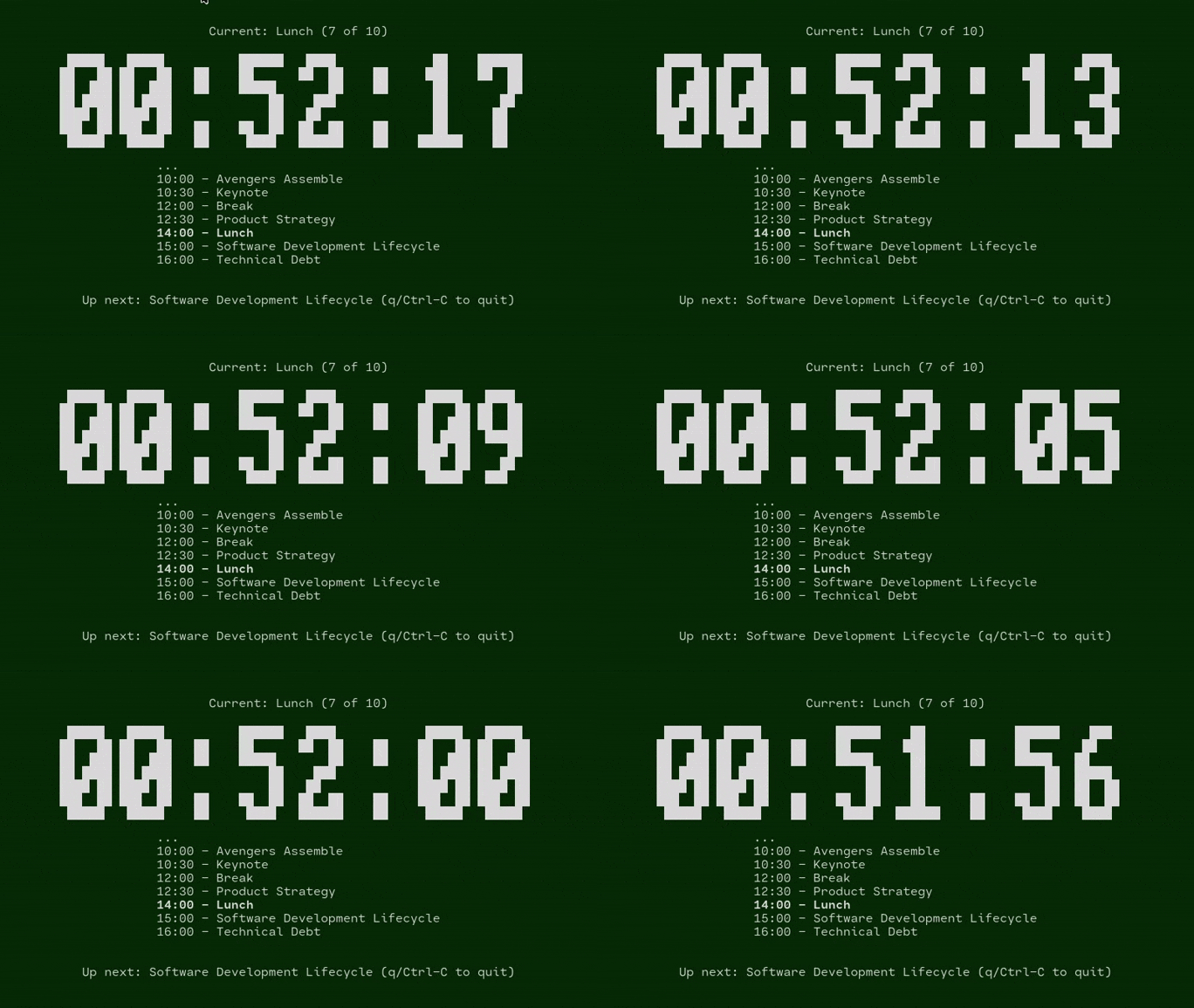
looking something like this:
                        Current: Technical Debt (7 of 8)

         █████   █████             ███   ████           ██████     ███
        ██   ██ ██   ██   ██      ████  ██  ██    ██    ██        ████
        ██  ███ ██  ███   ██     ██ ██  ██  ██    ██    █████    ██ ██
        ██ ████ ██ ████         ██  ██   ████               ██  ██  ██
        ████ ██ ████ ██         ███████ ██  ██              ██  ███████
        ███  ██ ███  ██   ██        ██  ██  ██    ██    ██  ██      ██
         █████   █████    ██       ████  ████     ██     ████      ████

                        ...
                        10:00 - Assemble
                        10:30 - Brave New World (recap)
                        11:00 - Planning & Decisions
                        13:00 - Lunch
                        14:00 - Technical Debt
                        16:00 - Close


                        Up next: Close (q/Ctrl-C to quit)
And, well, that’s it! Get it where you get your favourite apps ;-).